
परिचय
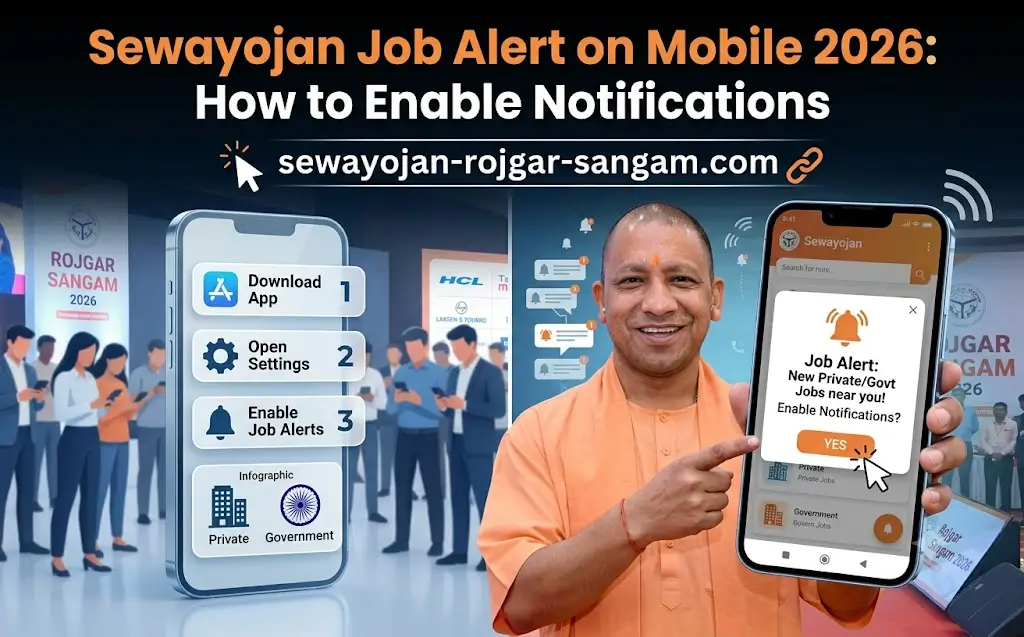
Sewayojan Job Alert on Mobile 2026 भाई, कितनी बार ऐसा हुआ कि कोई बड़ी vacancy आई और आपको पता ही नहीं चला क्योंकि notification नहीं मिला? फिर deadline निकल गई और मौका हाथ से निकल गया? 2026 में ऐसा न होने दें! इस article में हम आपको Sewayojan Portal पर mobile notifications enable करने का पूरा तरीका बताएंगे। Important: हम official UP Government site नहीं हैं, बल्कि एक independent guide हैं। Official portal है sewayojan.up.nic.in — जहाँ notifications enable करने के options मौजूद हैं।
Mobile Job Alerts Kyon Zaroori Hain?
देखो दोस्तों, सरकारी नौकरी की तलाश में सबसे बड़ी problem है — सही समय पर सही जानकारी न मिलना। Sewayojan Portal पर हर दिन नई vacancies आती हैं, लेकिन अगर आपको notification नहीं मिलता तो आप application miss कर सकते हैं।
Mobile job alerts का सबसे बड़ा फायदा ये है कि जैसे ही कोई नई vacancy portal पर डाली जाती है, आपको तुरंत SMS या email आ जाता है। आपको बार-बार portal check नहीं करना पड़ता। खासकर उन लोगों के लिए जिनके पास desktop/laptop नहीं है और सिर्फ mobile से काम चलता है — ये feature बहुत काम का है।
Notification Enable Karne Ke 4 Tarike
Sewayojan Portal पर notifications enable करने के चार तरीके हैं। सभी को try करें ताकि कोई भी vacancy miss न हो:
1. SMS Alerts (Mobile Number पर)
जब आप portal पर register करते हैं तो आपकी mobile number पूछी जाती है। यही number आपके SMS alerts के लिए use होती है। जब भी कोई नई vacancy आती है, आपको free SMS आता है।
2. Email Alerts (Email ID पर)
Register करते वक्त email ID देना mandatory है। हर नई vacancy के लिए आपको email notification आता है। Email में vacancy की short details और direct apply link होता है।
3. WhatsApp Alerts (Kuch districts mein)
कुछ UP districts में Employment Department ने WhatsApp पर भी job alerts शुरू किए हैं। आपको अपने district office से WhatsApp group में join करने का option मिल सकता है।
4. Mobile App Notifications
Sewayojan Portal का mobile app है (Rojgar Sangam App) — इसे download करें और push notifications enable करें। App से सीधे notification आती है।
Step-by-Step: Mobile Notification Enable Kaise Karein?
अब आते हैं main part पर — exact steps से notification enable करना:
Step 1: Portal पर Registration करें
-
सबसे पहले
sewayojan.up.nic.inपर जाएँ। -
“New Registration” पर click करें।
-
अपनी सही mobile number और email ID डालें — क्योंकि सारी notifications इन्हीं पर आएंगी।
-
OTP verify करें और registration complete करें।
Step 2: Profile में Notification Settings Enable करें
-
Login करने के बाद अपने Dashboard पर जाएँ।
-
“Profile Settings” या “Notification Settings” option खोजें।
-
वहाँ “SMS Alert” और “Email Alert” के options होंगे — दोनों को ON करें।
-
“Save Changes” पर click करें।
Step 3: Mobile App Download Aur Enable
-
Google Play Store पर जाएँ और “Rojgar Sangam” या “Sewayojan” search करें।
-
Official app download करें।
-
App खोलें और अपने credentials से login करें।
-
App की Settings में “Push Notifications” या “Job Alerts” option को ON करें।
Step 4: District Wise Alerts Enable करें
-
Portal पर “District Wise Alert” या “Preferred Location” option होता है।
-
वहाँ अपना ज़िला select करें ताकि आपको सिर्फ अपने ज़िले की vacancies की notifications आएं।
Step 5: Preference Settings (Category Wise Filter)
-
कुछ portals पर आप educational qualification और category (General/OBC/SC/ST) के according bhi alerts filter कर सकते हैं।
-
इससे आपको सिर्फ वही notifications आएंगी जो आपसे relevant हैं।
Step 6: Confirmation Check करें
-
Settings save करने के बाद एक confirmation message आता है — “Alerts Enabled Successfully”.
-
अगर न आए तो फिर से settings चेक करें।
Notification Settings Checklist
| Alert Type | Enable Kaise Karein? | Kya Milega? |
|---|---|---|
| SMS Alert | Registration के वक्त mobile number दें | Vacancy आने पर SMS |
| Email Alert | Registration के वक्त email ID दें | Vacancy details + apply link |
| Push Notification | Mobile App download + settings ON करें | App पर direct notification |
| District Alert | Dashboard में district select करें | Local vacancy alerts |
| Category Filter | Preference में category select करें | Sirf relevant vacancies |
Mobile App vs Website: Kya Better Hai?
| Feature | Website | Mobile App |
|---|---|---|
| Notification Speed | Email/SMS (slight delay) | Push notifications (instant) |
| Access | Desktop/mobile browser required | Phone mein instantly open |
| Data Usage | Browser data use | App data efficient |
| Offline Access | Not available | Kuch features offline |
| Battery Usage | Normal | Slight background battery use |
Meri recommendation: Dono use करें — website पर SMS/email alerts ON करें AND mobile app bhi download करें। Double coverage, koi vacancy miss nahi hogi!
Common Problems & Quick Fixes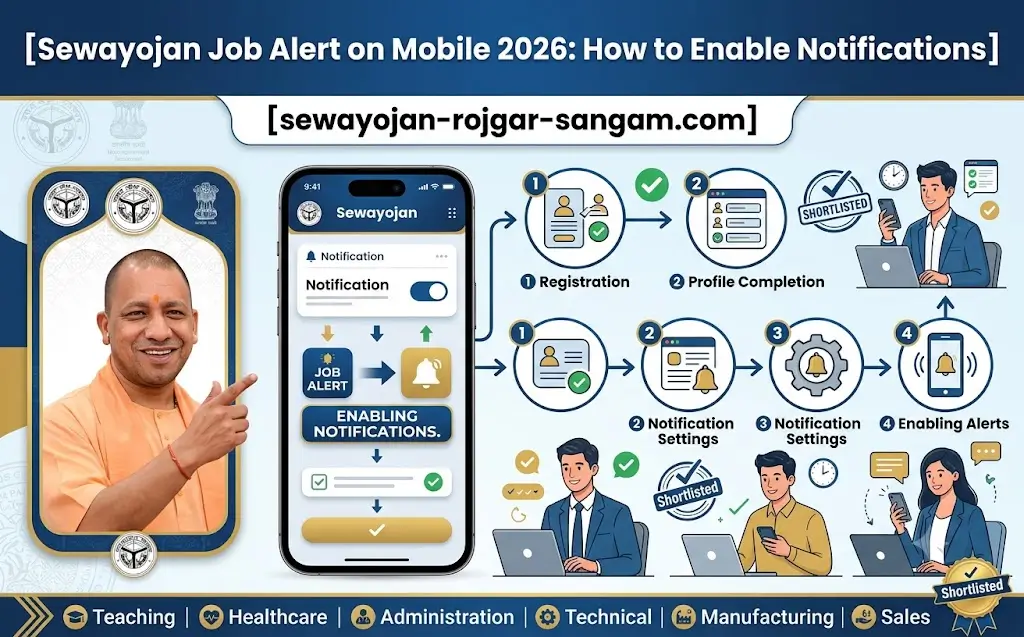
Notification enable करते time कुछ problems आ सकती हैं, उनके solutions:
Problem 1: SMS नहीं आ रहा
Fix:
-
अपनी mobile number को 2-3 बार re-enter करें
-
Network switch करें (Airplane mode on/off करें)
-
DND (Do Not Disturb) service OFF है क्या? *121# डायल करके check करें और SMS alerts को block तो नहीं किया?
-
अगर फिर न आए तो number के आगे +91 डालकर try करें
Problem 2: Email नहीं आ रहा
Fix:
-
Spam/Junk folder चेक करें — कभी-कभी email वहाँ चली जाती है
-
Email ID सही है क्या — typo तो नहीं?
-
Gmail, Yahoo, Outlook — किसी भी email provider पर 5-10 minute wait करें
-
“Not Spam” mark करें ताकि future emails spam में न जाएं
Problem 3: App Push Notifications नहीं आ रहीं
Fix:
-
Phone की Settings → Apps → Rojgar Sangam → Notifications → “Allow Notifications” ON करें
-
Battery Saver Mode OFF करें (कभी-कभी battery saver background notifications को block कर देता है)
-
App को latest version में update करें
-
App data clear करें और फिर से login करें
Problem 4: “Alert Already Enabled” दिखा रहा है पर नहीं आ रहा
Fix:
-
Settings से alerts को OFF करें, Save करें, फिर से ON करें और Save करें
-
Browser cache clear करें
-
दूसरे browser या incognito mode में try करें
-
अगर बार-बार problem आए तो helpline पर contact करें
Problem 5: District Wise Alerts नहीं मिल रहे
Fix:
-
Dashboard में “Preferred Location” या “District” को फिर से select करें और Save करें
-
State level alerts (UP wide) bhi enable करें ताकि किसी भी ज़िले की vacancy miss न हो
Notification Frequency: Kitni Baar Aayengi?
-
SMS Alerts: Important vacancies के लिए — daily 1-2 SMS max (spam नहीं होगा)
-
Email Alerts: Daily या weekly digest — आप settings में choose कर सकते हैं (Daily/Weekly)
-
Push Notifications: Real-time — jaisi hi vacancy portal पर डाले, notification आ जाती है
Mobile Notification Tips (Bonus)
-
अपना mobile number हमेशा active रखें — SIM बदलते हैं तो portal पर update करना न भूलें
-
Email को regularly check करें — सप्ताह में कम से कम 2-3 बार
-
App को update रखें — नए features और bug fixes के लिए
-
Notification tone को unique रखें — ताकि पहचान सकें कि job alert है
-
अपनी preference (qualification/category) को सही select करें — वरना irrelevant notifications आएंगी
FAQs (अक्सर पूछे जाने वाले सवाल)
Q: Sewayojan Portal पर notification enable करने के लिए कोई शुल्क लगता है?
A: बिल्कुल नहीं! SMS, Email और App notifications सभी 100% free हैं। कोई charge नहीं लगता।
Q: क्या मैं notifications बंद भी कर सकता हूँ?
A: हाँ, जब आपको नौकरी मिल जाए या alerts की ज़रूरत न रहे तो Settings में जाकर OFF कर सकते हैं।
Q: क्या मुझे हर vacancy के लिए notification आएगी?
A: आपकी preference settings के according — जो vacancies आपकी qualification और category से match करेंगी, उन्हीं की notifications आएंगी।
Q: अगर मैंने notification enable किया पर फिर भी नहीं आ रहा तो?
A: Problem solutions वाले section को check करें। अगर फिर न आए तो helpline 155330 या 0522-2638995 पर contact करें।
Q: क्या मैं एक से ज़्यादा mobile numbers पर alerts ले सकता हूँ?
A: नहीं, एक registration में एक mobile number ही add होता है। अगर number बदलना है तो profile update करें।
Q: App की push notifications काम क्यों नहीं कर रही?
A: Phone settings में app permissions check करें — Notifications permission ON होनी चाहिए। Battery saver mode भी OFF करें।
Q: क्या मैं WhatsApp पर notifications ले सकता हूँ?
A: कुछ districts में Employment Department के WhatsApp groups हैं। अपने district office से पूछें। Official Sewayojan Portal पर WhatsApp alert का option नहीं है।
Q: Notification किस language में आएगी?
A: Mostly Hindi में आती है (क्योंकि UP के users के लिए)। कभी-कभी important details English में भी होती हैं।
Q: क्या सरकारी और private दोनों jobs की notifications आती हैं?
A: हाँ, अगर आपने settings में “Government” और “Private” दोनों types को select किया है तो दोनों की notifications आएंगी।
Q: Notification में apply का link भी आता है?
A: हाँ, email notification में direct apply link होता है। SMS notification में apply करने का तरीका बताया जाता है।
निष्कर्ष (Final Words)
तो दोस्तों, अब आपके पास 2026 में Sewayojan Portal पर mobile job alerts enable करने का complete guide है। इन steps को follow करें और कोई भी vacancy अब miss न करें। आपके mobile पर सीधे latest government और private job notifications आएंगी।
याद रखें — हमारी website एक independent guide है, official नहीं। Official portal है sewayojan.up.nic.in — वहाँ notification settings को ज़रूर चेक करें। अगर किसी problem में help चाहिए तो helpline पर call करें: 155330 या 0522-2638995।
आज ही notifications enable करें और अपनी job search को अगले level पर ले जाएँ! Best of luck!